
Package discovery and pairing
Discover package components and deterministically pair DAT and OPT files.
Production Package Doctor is a local, read-only Windows preflight tool that checks eDiscovery production packages before upload or workspace import.
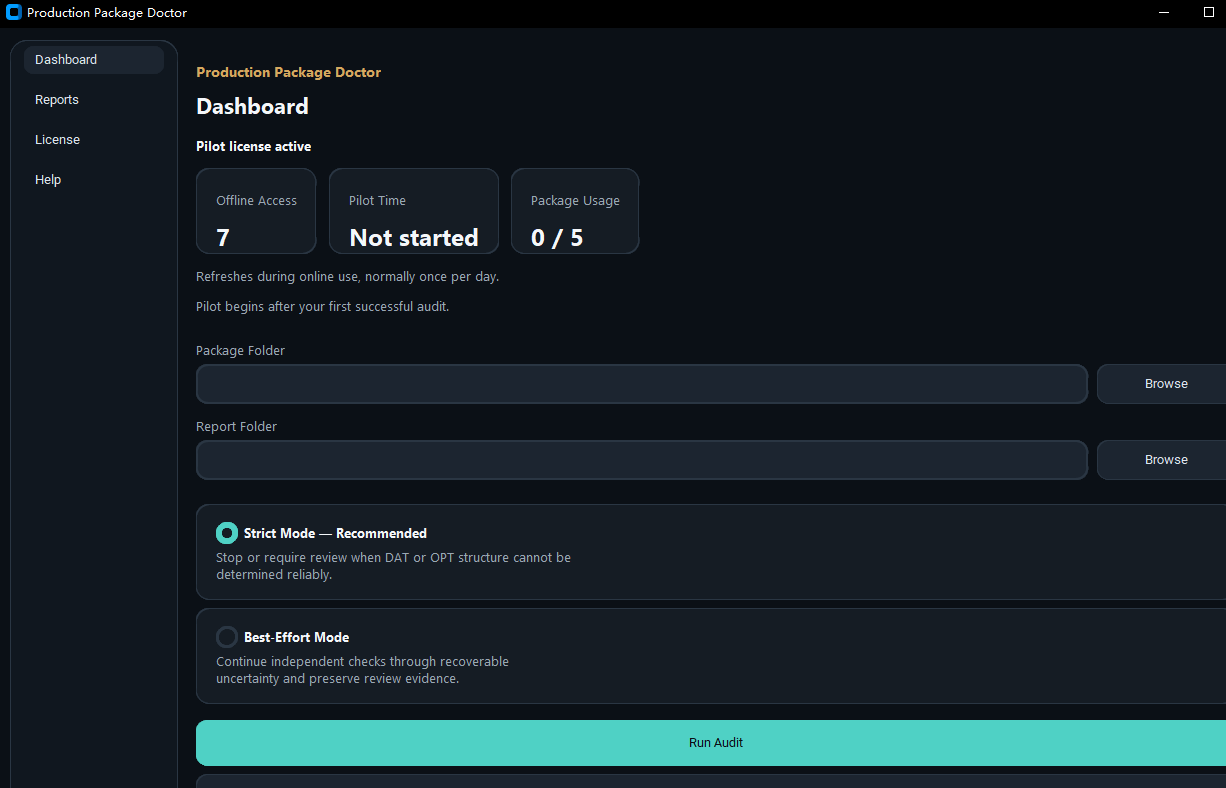
No case data shown / Diagnostic material only
Main dashboard showing offline access, Pilot time, and package usage before any real package is audited.
Selected package contents are processed on the operator’s Windows computer.
The selected source package is read, not repaired or rewritten.
Completed audits can produce human-readable HTML and machine-readable JSON reports.
Only limited authorization, device-lifecycle, and opaque Pilot-accounting traffic may use the network.
Before workspace import
Manual preflight checks are repetitive and can vary between reviewers.
DAT, OPT, and referenced files need to be checked together, not as isolated artifacts.
Structural problems are often discovered only when a downstream import is attempted.
One-off scripts rarely provide a consistent review trail or a shared report format.
Implemented V1 scope
The capability and its boundary belong in the same view. The report remains the authority for the rules applied to a particular audit.
Discover package components and deterministically pair DAT and OPT files.
Review DAT header mapping, OPT structure, and selected relationships between them.
Record source-integrity evidence during the audit window and apply the rules listed in the report.
V1 does not validate every production format, family relationship, privilege log, or downstream-platform rule.
A reviewable workflow
Core text and reports remain accessible without relying on animation or client-side application state.
Choose the source package that should be reviewed.
Use Strict or Best-Effort mode according to the uncertainty the operator needs to preserve and review.
Process selected package contents locally without repairing or rewriting the source package.
Review the operational result together with the generated HTML and JSON evidence.
A focused first step
No files or case materials needed. Use 15 minutes to check whether PPD fits the review problem in front of you.
Authentic product evidence
These images come from the current bundled Demo and protected Pilot interface. Credentials, identifiers, and real case content are not shown.
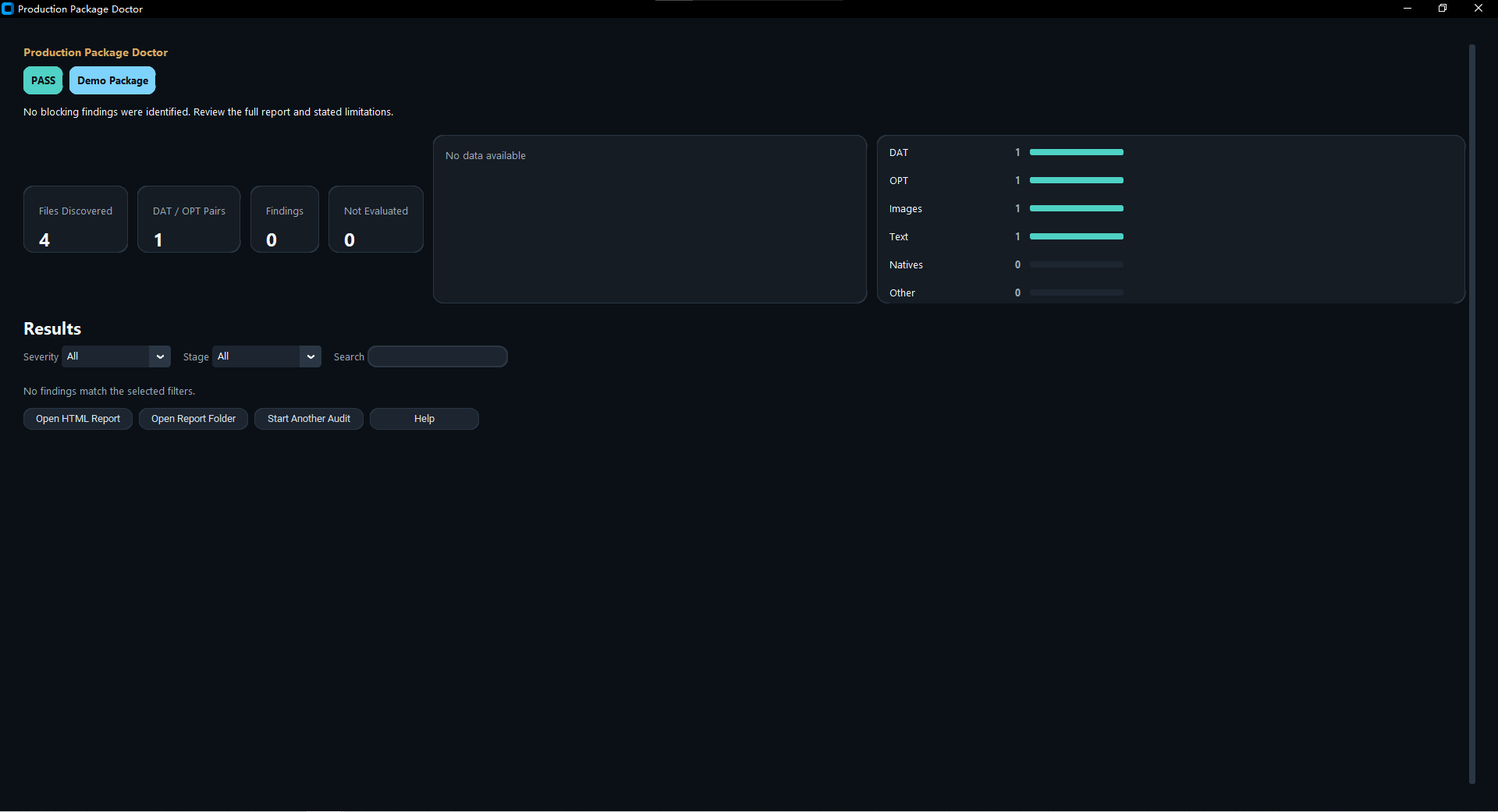
Bundled Demo result showing a clean pass with no findings within the implemented V1 rules.
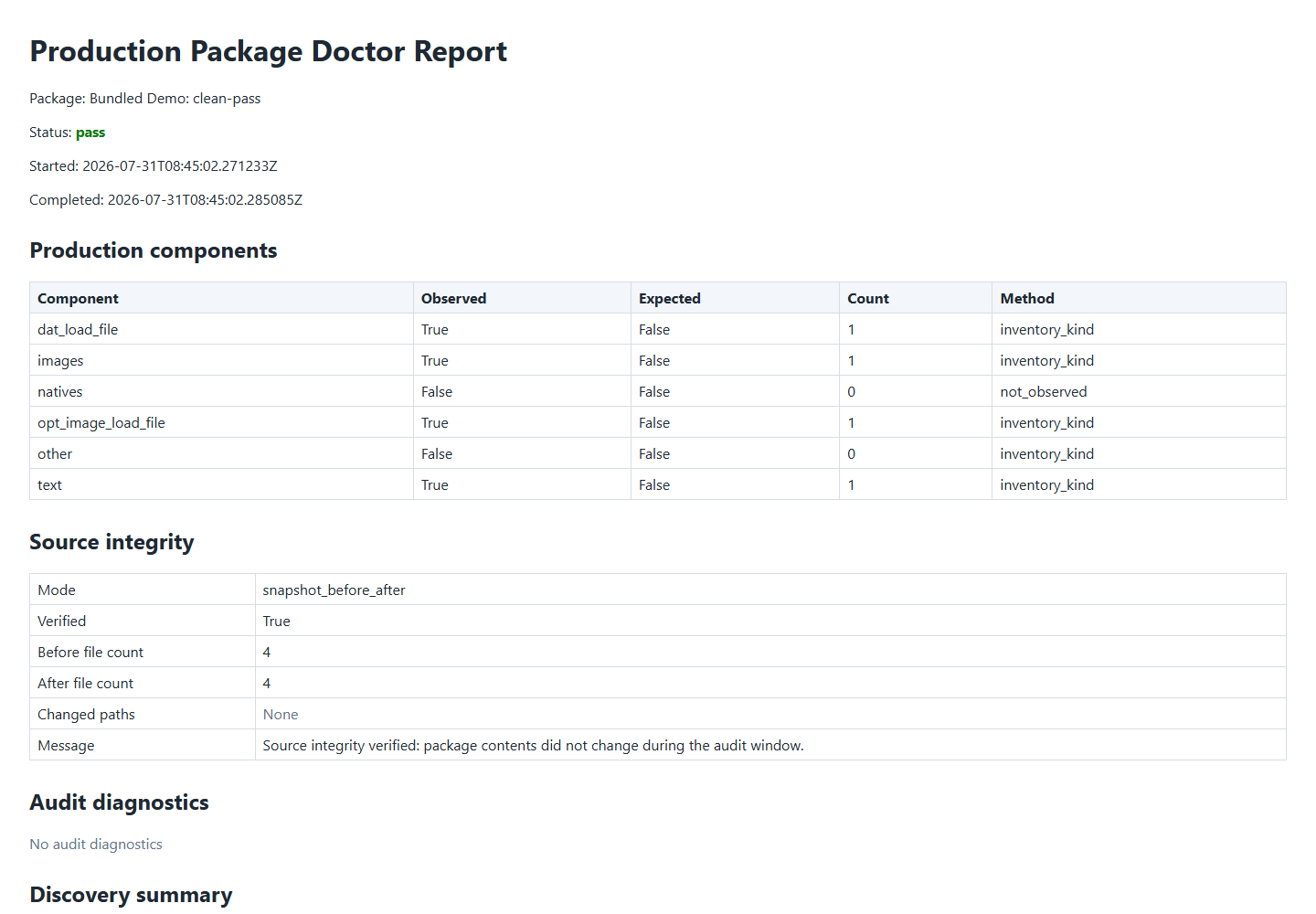
An authentic bundled Demo HTML report showing the clean-pass outcome, observed production components, source-integrity evidence, and implemented V1 limitations.
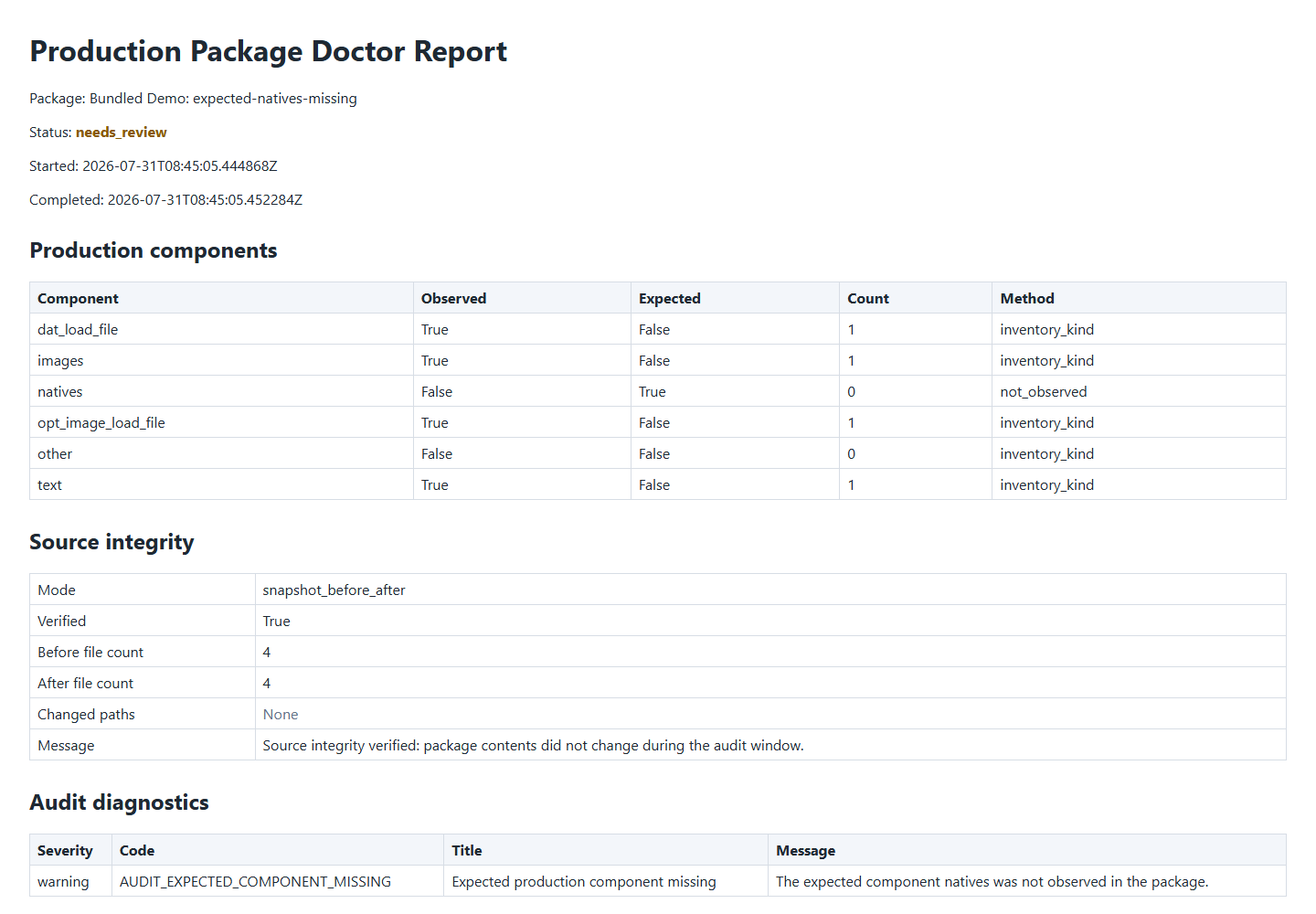
Bundled Demo result for expected-natives-missing, flagging a structural question that requires operator confirmation.
Operational outcomes
These statuses describe authenticated synthetic samples under the implemented V1 rules. They are not legal judgments, compliance certifications, or customer case studies.
01
No finding was raised within the implemented V1 rules for the authenticated synthetic sample.
02
The sample contains a structural question that requires operator confirmation.
03
The sample contains a blocking structural problem that should be resolved before relying on the package.
Local case-content boundary
Case-package content and reports stay local. Limited authorization and device-lifecycle traffic is described separately rather than hidden behind an “offline” label.
Read Privacy & SecurityDAT, OPT, image, text, native, report, and derived case content are not uploaded by the desktop application.
Authorization, lease refresh, device lifecycle, and opaque Pilot accounting may exchange limited data.
Reports are written to a separate operator-selected location.
Limits are part of the product
Automated findings support professional review and do not replace professional judgment.
The tool does not provide legal advice, certify compliance, or guarantee downstream import.
V1 does not validate every production format, relationship, or downstream-platform rule.
Invited Pilot
Pilot access is offered individually after a workflow-fit discussion; it is not public or self-service.
The Pilot allows up to five recognized real production packages during 30 calendar days beginning after the first successful real-package audit.
Seven-day offline access is a cached authorization refresh window, not the Pilot duration.
Tell us your role, whether you work with DAT and OPT packages, and the workflow you want to discuss.
Use the screenshots, authenticated synthetic samples, and public reports before sharing any sensitive context.
Use a 15-minute conversation to determine whether the current V1 scope matches a real review need.
Suitable users may receive individual Pilot access. A Demo request does not automatically grant software access.
Production Package Doctor
No case materials, license keys, or confidential package content are needed to request a Demo.
Invited Pilot access is offered separately; a Demo request does not automatically grant software access.